Phishing E-Mail Analysis


In my last blog post, we explored what happens after you click a phishing link. So today, I thought it would be interesting to break down a real phishing E-mail.
I opened my inbox and grabbed the first suspicious-looking message I could find. Unfortunately, I couldn't find one with a malicious attachment, but if I come across one, I'll definitely do a follow-up post to break that down too.
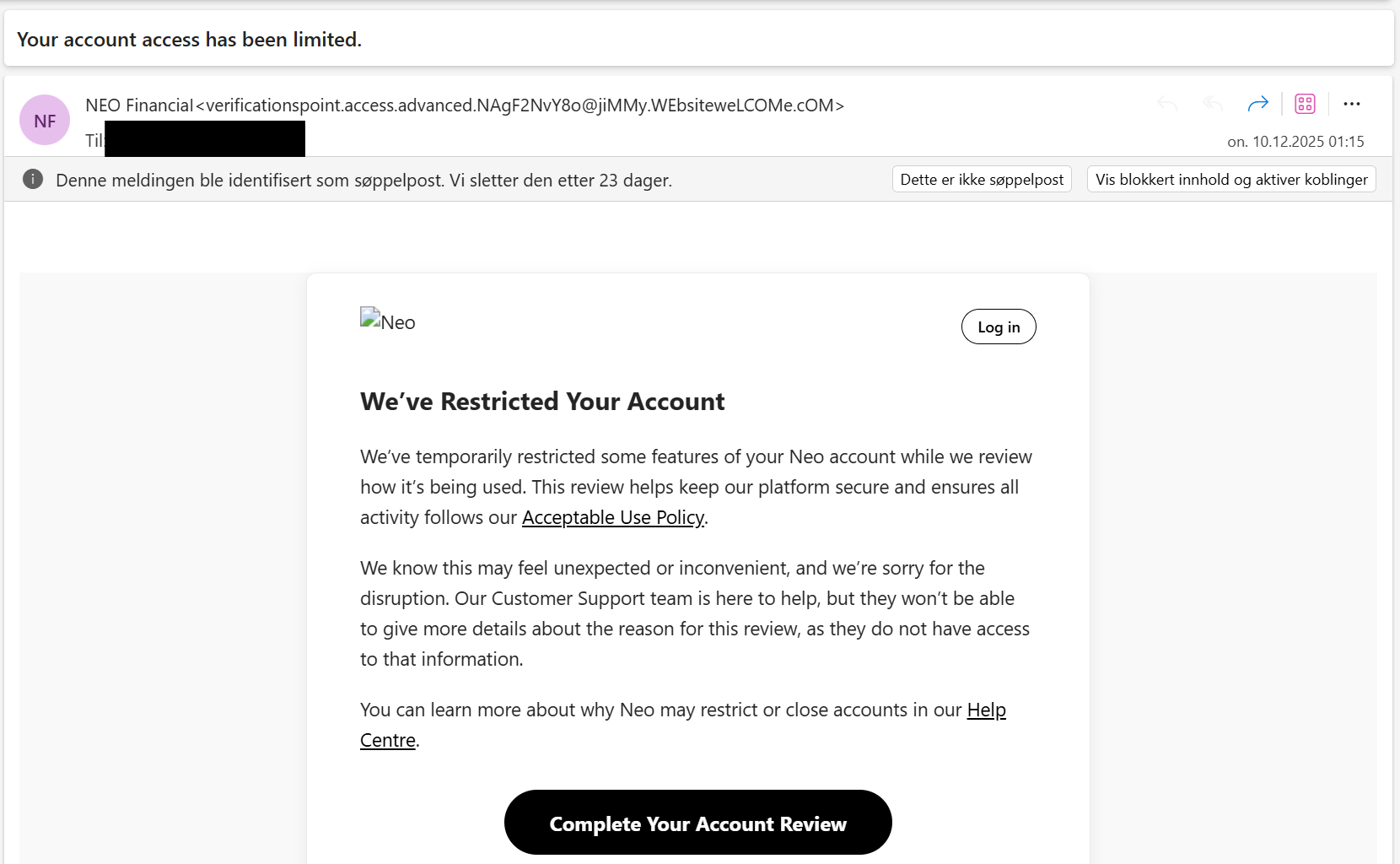
For a trained eye, this is clearly phishing. It checks all the classic boxes:
- A suspicious sender adress
- Spoofed branding
- Urgency and fear-based language
- A prominent call to action button
- Awkward language and tone
But for someone who isn't familiar with these red flags, it could be convincing enough to fall for. So let's break it down together.
Step 1: E-mail Headers
We start by inspecting the raw email header, which contains metadata about how and where the email was sent. Here's some key fields to look for:
From, Return-Path, and Reply-To addresses
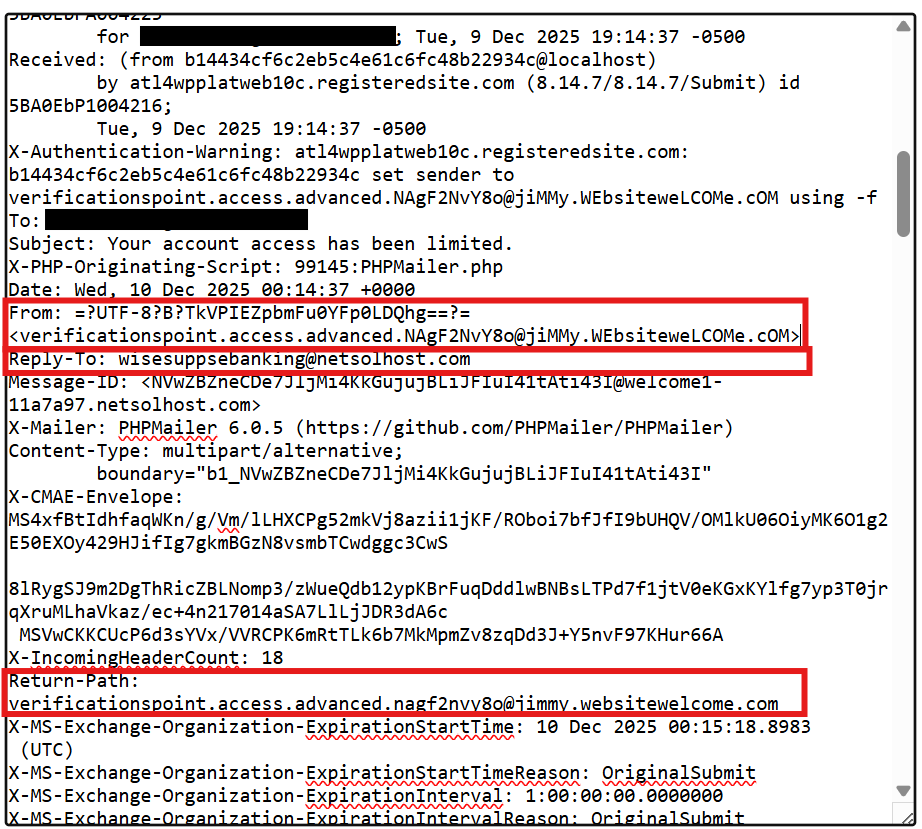
In legitimate emails, these should match or point to the same trusted domain. In this case:
From: claims to be from "NEO Financial"
Return-Path: Is actually jimmy[.]websitewelcome[.]com
Reply-to: Points to a completely different address, unrelated to either.
This is a strong indicator of spoofing.
Sending IP adress

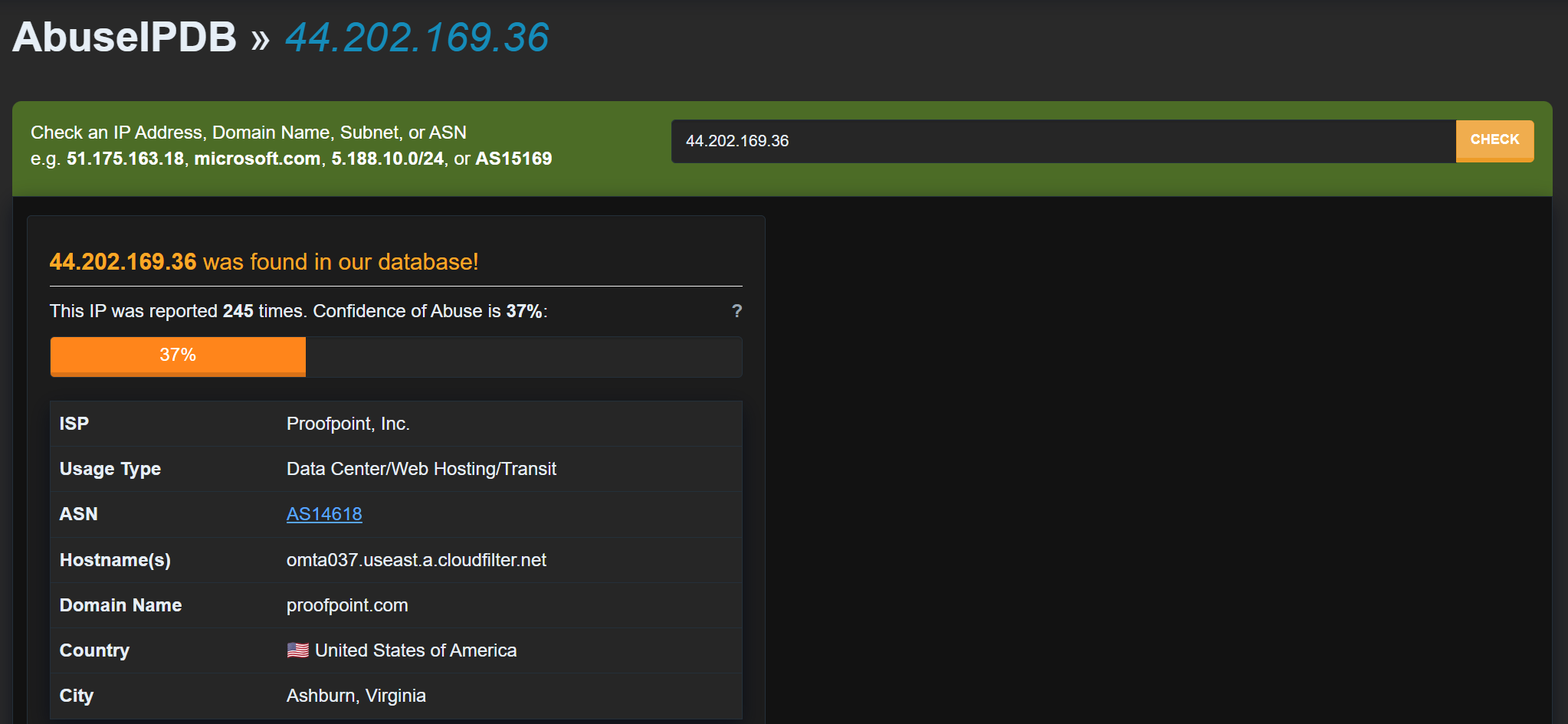
Next, we look at the sending IP adress, often found under fields like X-originating-IP or Received. In this case, the mail was sent from 44.202.169.36
A quick lookup shows this belongs to Amazon AWS cloud infrastructure. While cloud providers like AWS are legitimate platforms, bank don't send critical account information from random AWS mail servers. This is another red flag.
Authentication results (SPF / DKIM / DMARC)

These protocols verify whether the sending server was authorized to send on behalf of the claimed domain.
SPF = Pass, but only for the spoofed domain (jimmy[.]websitewelcome[.]com), not for the brand it pretends to be (NEO Financial)
DKIM = none, No cryptographic signature to verify message integrity
DMARC = Pass, but with "action=none" (Which means no enforcement is applied, even if authentication fails)
While SPF and DMARC technically pass, they don't validate the real brand being impersonated. The sender domain authorized the mail, but it's not the brand you think it is.
Step 2: Call To Action Button
The next step is to look at where the email actually wants to send us.
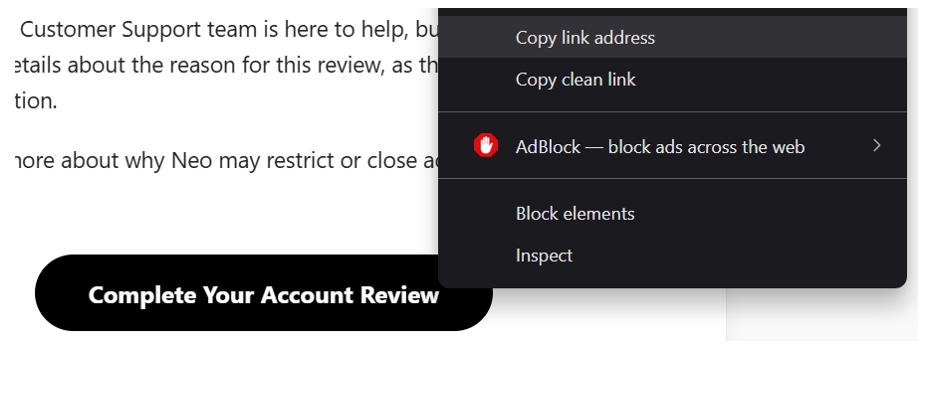
Instead of clicking the button (Never click anything), we right-click and copy the link adress. Then, we paste that URL into a URL analysis tool to inspect the destination safely.
In this case, the button pointed to: hxxps[://]meranedo-ebio[.]1wp[.]site/neofinancial1
Which is clearly not a domain associated with NEO Financial.
To safely preview the site, I used www.url2png.com, a tool that renders a screenshot of the page without exposing your browser to any risk. The result is a page that displayed a cloudflare error.
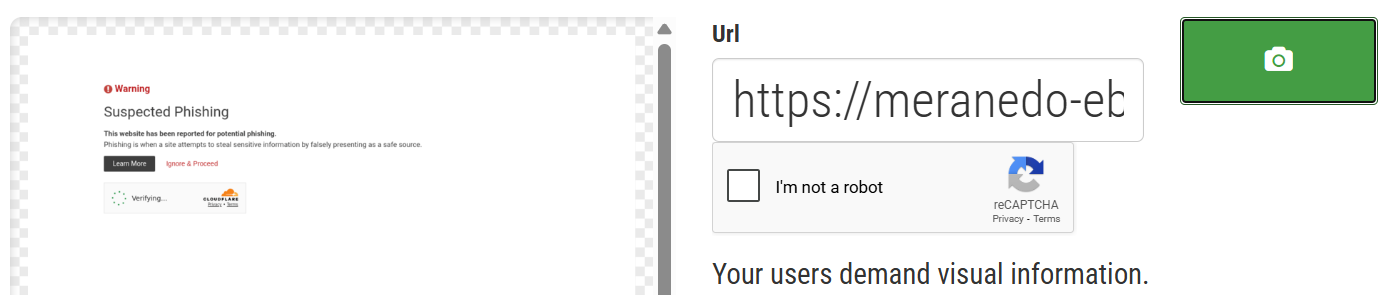
This tells us two things:
- The phishing infrastructure was live and functional at some point
- It's now been disabled or blocked, likely due to a user report or automated detection.
Extracting URL's
We can also analyze what resources the page loads without visiting it directly. To do this, I used a URL extractor tool, which scans the page and extracts all URLs (both visible and hidden) from the source code.
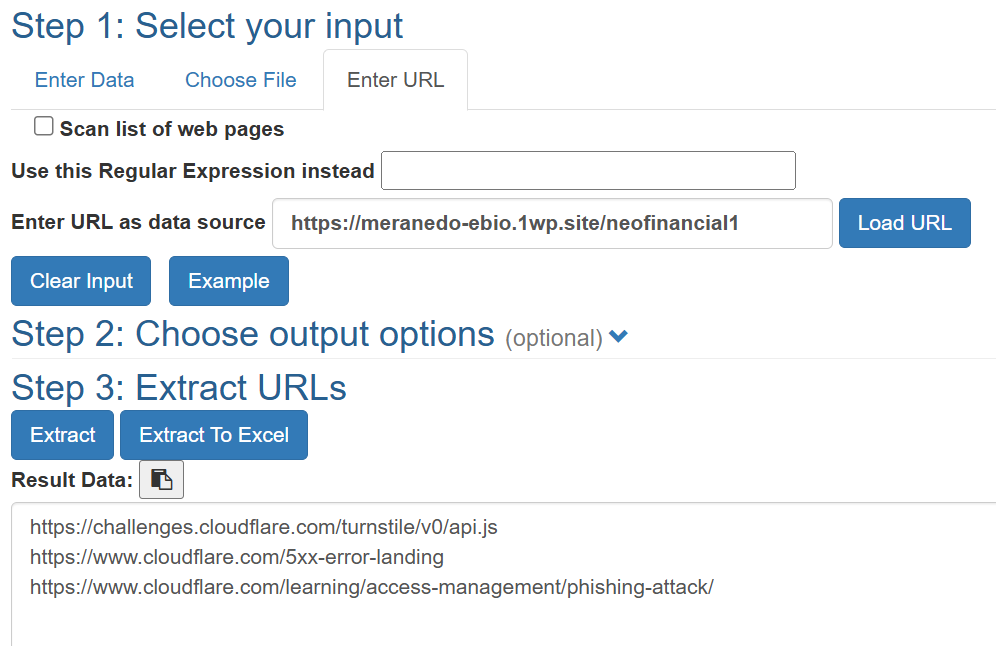
Instead of phishing content, the page now returns three URLs, all pointing to Cloudflare error or warning pages. This confirms what we saw in the screenshot from url2png.com: the phishing page has been disabled or blocked, and requests are now redirected to Cloudflare's warning page.
Final thoughts
Even though this particular phishing site is no longer active, it's a perfect example of why email analysis matters. These attacks rely on people acting quickly without questioning what they're seeing. By understanding the red flags, you're already one step ahead.